Compare U20, MR1, and WiMAX Pocket WiFi devices at 3M INTEL by features, deposits, and usage needs to find a suitable option in Japan.
If you prefer a simple, portable Pocket WiFi device, the U20 is worth considering. If you want to check connection information directly on the device, the MR1 is a practical option. For customers who need to connect multiple devices or are interested in 5G connectivity, WiMAX may be suitable, depending on the available model, service plan, and network coverage.
In Japan, 3M INTEL (3Mintel株式会社) offers Pocket WiFi rental options, including U20, MR1, and WiMAX. Each device has different features, usage characteristics, and equipment deposit requirements.
Which one should you choose for studying, working, living, or traveling in Japan? Let’s compare the options before renting.
1. U20 vs MR1 vs WiMAX: Quick Comparison
| Feature | U20 | MR1 | WiMAX |
| Device Type | 4G Pocket WiFi | 4G Pocket WiFi | Depends on the provided model |
| Display | No screen | Built-in screen | Depends on the model |
| Status Information | LED indicators and supported device information | On-device display | Model-specific interface |
| Suitable For | Basic internet access while traveling | Users who prefer checking connection information directly | Users with higher connectivity needs who want to explore 5G options |
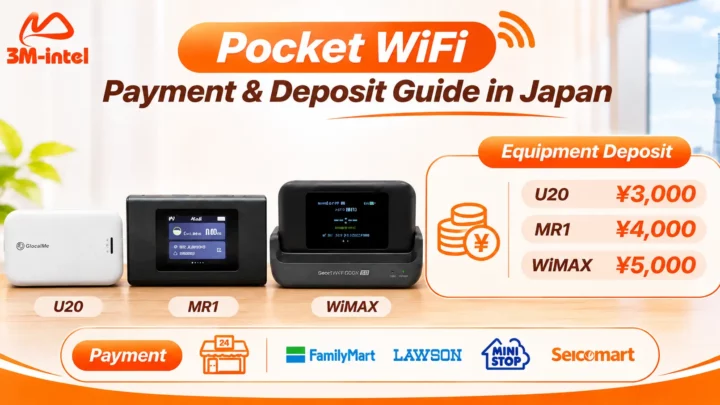
| Equipment Deposit | ¥3,000 | ¥4,000 | ¥5,000 |
| Monthly Rental Fee | Confirm before registration | Confirm before registration | Confirm before registration |
Important: Equipment deposits are separate from monthly rental charges. Deposit refunds are subject to 3M INTEL’s equipment return and rental conditions.
Internet speed should not be judged solely by the device name or deposit amount. Actual performance depends on the mobile network, coverage, data plan, and number of connected devices.
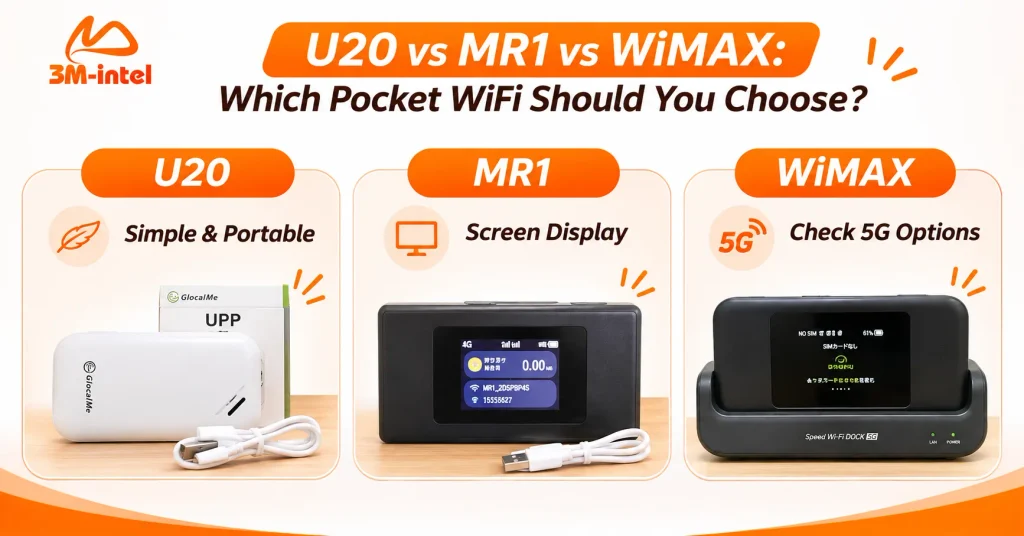
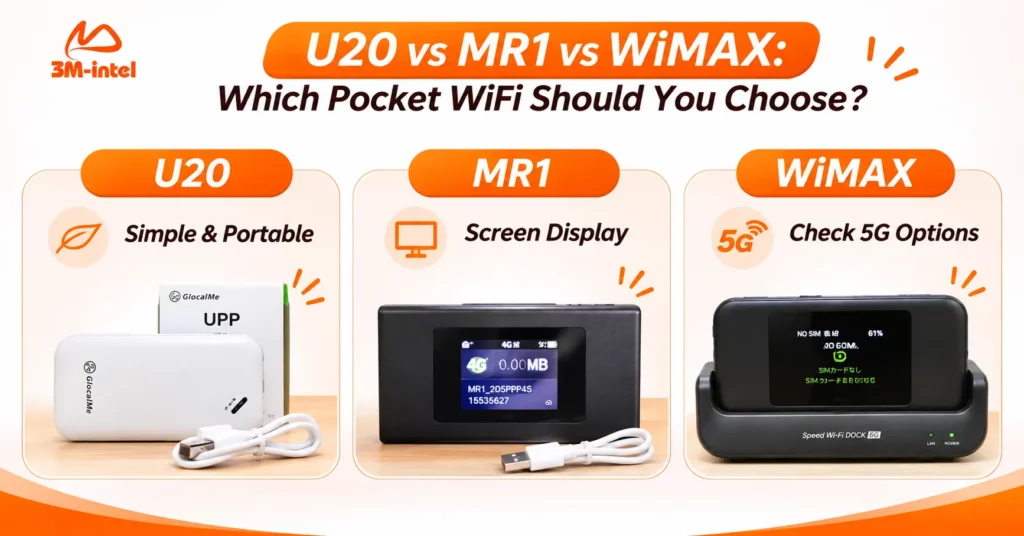
U20 offers a compact design, MR1 features a built-in display, while WiMAX provides potential 5G connectivity depending on the device model and network coverage.
2. What Are the Differences Between U20, MR1, and WiMAX?
GlocalMe U20 – Simple and Portable
The GlocalMe U20 is a compact 4G Pocket WiFi device without a built-in screen.
Instead of a display, it uses indicator lights to communicate basic operating information.
The U20 may be suitable if you:
- Primarily connect a smartphone or laptop while traveling.
- Prefer a straightforward device.
- Do not need to view connection information on a built-in screen.
- Want the lowest equipment deposit among these three options.
According to 3M INTEL’s published information, the U20 equipment deposit is ¥3,000.
However, its suitability still depends on your data plan, location, and the number of devices you intend to connect.
MR1 – Convenient On-Screen Connection Monitoring
The MR1 is a 4G Pocket WiFi device with a built-in display that shows operating and connection information.
Unlike the screenless U20, the MR1 allows users to view supported device information directly on its screen.
Consider the MR1 if you:
- Use Pocket WiFi frequently throughout the day.
- Prefer checking network and connection status on the device.
- Want access to on-screen device information.
- Value a more visual way of monitoring your connection.
The MR1 equipment deposit is ¥4,000, according to 3M INTEL.
A built-in screen does not automatically make the MR1 faster than the U20. Actual internet performance depends on device specifications, network conditions, and the service plan.
WiMAX – An Option for Higher Connectivity Needs
WiMAX refers to mobile internet services and devices used in Japan. Certain WiMAX models support 5G connectivity, on-device management, and multiple connected devices.
For example, the Speed Wi-Fi DOCK 5G 01 is officially listed by UQ WiMAX as supporting 5G, 4G LTE, and WiMAX 2+, with a dedicated dock.
However, these specifications apply to the Speed Wi-Fi DOCK 5G 01 specifically and should not be assumed to apply to every WiMAX device.
WiMAX may be worth considering if you:
- Regularly connect laptops, smartphones, and other devices.
- Study or work online frequently.
- Want to explore devices that support 5G where coverage is available.
- Need internet access across different locations in Japan.
The WiMAX equipment deposit at 3M INTEL is ¥5,000.
Before registration, confirm the exact device model, network coverage, data allowance, speed conditions, and included accessories.
3. Which Pocket WiFi Should You Choose for Your Needs?
There is no single Pocket WiFi device that is best for everyone. Instead of focusing only on price or advertised specifications, consider how and where you will use the connection.
| Your Needs | Recommended Option to Consider | Why |
| Basic internet access while traveling | U20 | Compact and straightforward to operate |
| Checking connection status on the device | MR1 | Built-in display |
| Connecting multiple devices and exploring 5G | WiMAX | May offer suitable configurations, depending on the model and plan |
| Lower equipment deposit | U20 | ¥3,000 deposit |
| Advice based on your home address or regular travel areas | All three | Coverage should be checked before choosing |
Is Choosing a Device the Same as Choosing a Data Plan?
No. The Pocket WiFi device and the data plan are two separate considerations.
3M INTEL offers Pocket WiFi service options such as 100GB and Full Data, subject to the applicable service conditions.
Customers should confirm which plans are available with their selected device.
For Full Data plans, it is also important to review any Fair Usage Policy (FUP) and potential speed restrictions.
4. What Costs Should You Check Before Renting U20, MR1, or WiMAX?
Before renting Pocket WiFi, customers should distinguish between monthly service charges, equipment deposits, and device return conditions.
According to 3M INTEL’s published information, the equipment deposits are:
- U20: ¥3,000
- MR1: ¥4,000
- WiMAX: ¥5,000
These amounts are equipment deposits, not monthly rental prices.
Before confirming your registration, check:
- Monthly rental price and data allowance.
- Mobile network, coverage, and speed conditions.
- Included devices, charging cables, and accessories.
- Equipment return requirements and deposit refund conditions.
- Available payment methods and billing cycles.
Customers can also review 3M INTEL’s service registration, payment, and usage process before completing their order.
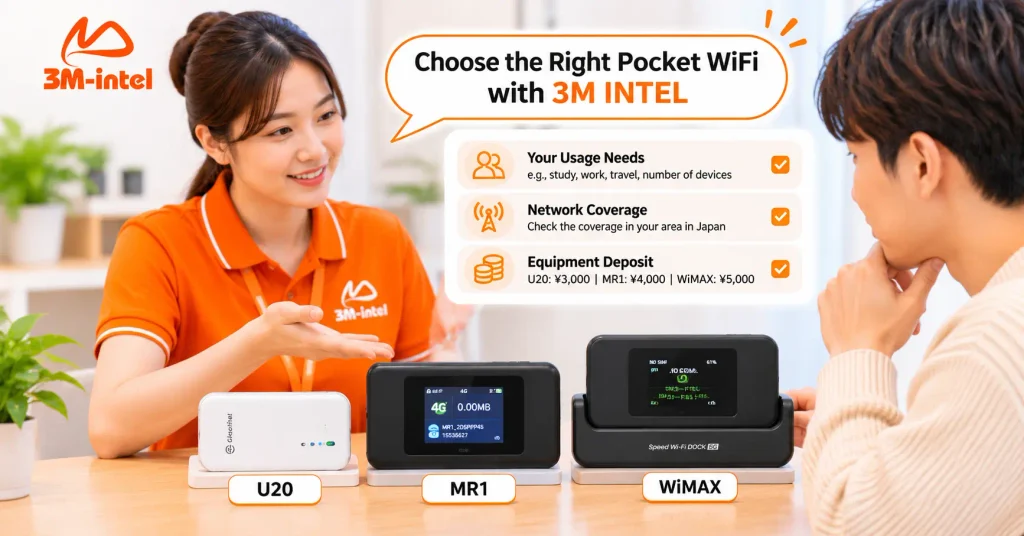
3M INTEL staff help customers choose between U20, MR1, and WiMAX based on usage needs, network coverage, and equipment deposit requirements in Japan.
5. Frequently Asked Questions About U20, MR1, and WiMAX
Is U20 Weaker Than MR1 Because It Has No Screen?
Not necessarily. A built-in display mainly makes checking device information more convenient. Actual network performance depends on the device specifications, network coverage, and service plan.
Is WiMAX Always Faster Than U20 and MR1?
No. Certain WiMAX devices support 5G and may offer higher technical capabilities, but actual speeds depend on the specific device, network conditions, and service plan.
Can Multiple People Use the Same Pocket WiFi Device?
Yes. Pocket WiFi can share an internet connection with multiple devices. However, the maximum number of supported connections and actual performance depend on the model, signal quality, and data usage.
Is the Equipment Deposit Refundable?
Equipment deposits may be refunded according to the applicable rental policy when customers end their service and return the device and required accessories in the agreed condition.
6. Choose the Right Pocket WiFi With 3M INTEL
U20 is worth considering for straightforward portable connectivity. MR1 is suitable for users who want an on-device display, while WiMAX may be a useful option for customers exploring devices with higher connectivity capabilities.
The most important factors are choosing the right device, data plan, and network coverage rather than relying only on the model name.
3M INTEL (3Mintel株式会社) offers U20, MR1, and WiMAX Pocket WiFi rental options in Japan, along with information about registration, payment, equipment deposits, and device returns.
If you are unsure which model to choose, share the following details with the 3M INTEL support team:
- Your main location or address in Japan.
- The number of people and devices that need internet access.
- Your main online activities, such as studying, working, video streaming, or browsing.
- Your expected rental period.
Explore 3M INTEL Pocket WiFi rental options or contact the support team to confirm available devices, current rental prices, and applicable terms.
3M INTEL – Choose the Right Device, Understand Your Costs, and Stay Connected in Japan.