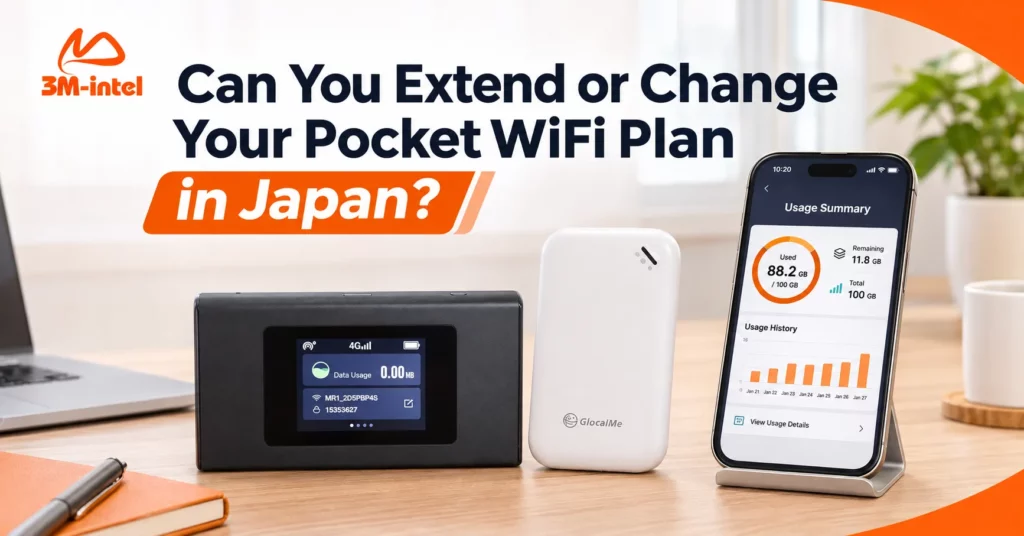
Need to extend your Pocket WiFi rental or change plans in Japan? Learn what to check and how to contact 3M INTEL for assistance.
If you are renting Pocket WiFi in Japan and want to use it for a longer period or switch to a different data plan, you should contact your provider to confirm the available options. At 3M INTEL, rental extensions and plan changes are subject to your current rental agreement, device model, and applicable service conditions.
A longer stay in Japan, changes in your work schedule, or higher-than-expected data usage may affect your internet needs.
3M INTEL (3Mintel株式会社) offers Pocket WiFi rental services in Japan, including U20, MR1, and WiMAX devices. This guide explains the differences between extending a rental and changing a data plan, what information to prepare, and which conditions to confirm before requesting a change.
1. What Is the Difference Between Extending a Rental and Changing a Plan?
Both options involve adjusting your existing service, but they serve different purposes.
| Option | When You May Need It | What to Confirm |
| Rental Extension | You want to keep using Pocket WiFi beyond your originally planned rental period | New rental period, additional charges, and billing cycle |
| Data Plan Change | Your current data allowance no longer meets your needs | Available plans, effective date, and price difference |
| Device Change | Your current device no longer meets your usage requirements | Replacement model, exchange conditions, and equipment deposit |
For example, if you originally planned to stay in Japan for three months but need another two months, your main concern is extending your rental period.
If you currently use a 100GB plan but have started attending frequent online meetings or downloading large files, you may want to check whether switching to a Full Data plan is possible.
Keep in mind that extending your rental does not automatically increase your data allowance. Similarly, changing your data plan does not necessarily extend your rental period.
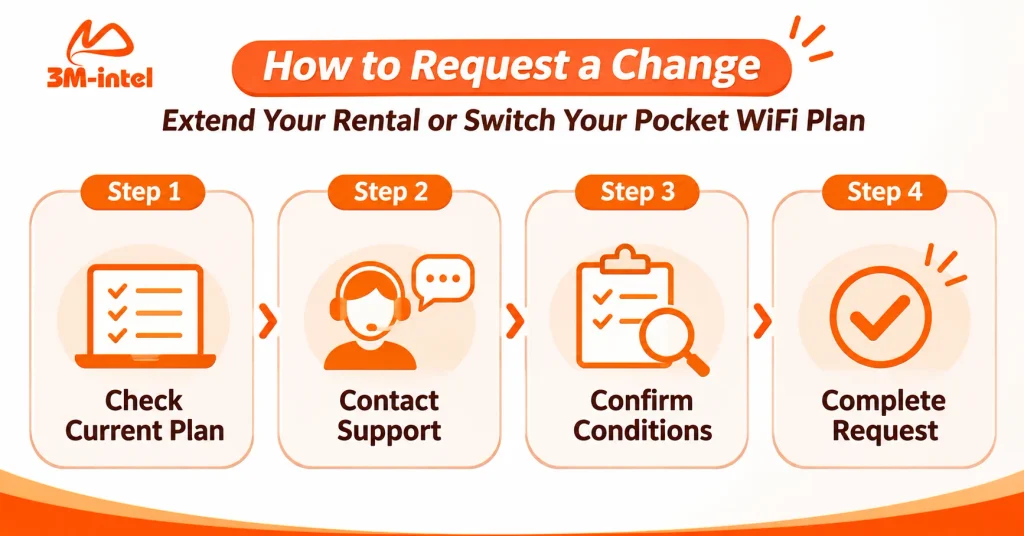
The four-step process for requesting a Pocket WiFi service change at 3M INTEL: check your current plan, contact support, confirm the conditions, and complete the request.
2. How to Request a Pocket WiFi Rental Extension at 3M INTEL
3M INTEL offers Pocket WiFi services with monthly billing. Your specific billing cycle is confirmed when you register for the service.
If you need to continue using your device for longer than originally planned, follow these steps.
Step 1: Review Your Current Rental Details
Before contacting support, check:
- Your Pocket WiFi model: U20, MR1, or WiMAX.
- Your current data plan.
- Your expected rental period and billing cycle.
- How much longer you would like to use the service.
You may find these details in your registration confirmation or previous communication with the support team.
Step 2: Contact 3M INTEL Before Your Planned End Date
Visit the 3M INTEL contact page and explain that you would like to extend your Pocket WiFi rental.
Submitting your request in advance gives you time to confirm the applicable conditions and any additional payment requirements.
Step 3: Confirm the Terms and Costs
Before agreeing to an extension, ask the following questions:
- Can I continue using my current Pocket WiFi device?
- When will the new rental period begin and end?
- How will the service charges be calculated?
- What happens to my existing equipment deposit?
- Do I need to complete any additional payment or confirmation steps?
Do not assume that your rental will automatically renew unless 3M INTEL has confirmed the applicable renewal conditions.
3. Can You Switch From a 100GB Pocket WiFi Plan to Full Data?
Switching from a 100GB plan to Full Data, or vice versa, depends on the current service policy and the conditions of your existing plan.
Customers can contact 3M INTEL to request a review of their options. However, not every plan is necessarily eligible for an immediate change.
When Should You Consider Changing Your Data Plan?
From 100GB to Full Data: This may be worth considering if your data usage has increased significantly, such as when you frequently work online, download large files, or share your connection with multiple people.
From Full Data to 100GB: This may be appropriate if your data needs have decreased and you mainly use the internet for messaging, browsing, or basic online learning.
In either case, review the new plan’s data allowance and speed conditions before making a decision.
Importantly, Full Data does not necessarily mean unlimited high-speed internet under all circumstances. A Fair Usage Policy (FUP) may apply depending on the service plan.
What Should You Ask Before Changing Plans?
- Does my current service allow a data plan change?
- Is the new plan compatible with my existing Pocket WiFi device?
- Will the change take effect immediately or from the next billing cycle?
- Will there be any additional charges or equipment deposit adjustments?
- What data allowances and speed restrictions apply to the new plan?
If changing plans also requires a different device, confirm the procedures for receiving and returning equipment and accessories.
You can review the 3M INTEL Pocket WiFi rental options before contacting the support team.
4. Are There Additional Fees for Extending or Changing a Pocket WiFi Plan?
There is not enough publicly confirmed information to state that all Pocket WiFi rental extensions or plan changes at 3M INTEL are free or subject to a fixed fee.
Actual charges depend on your existing service and the specific change you request.
Before proceeding, review the following cost categories.
| Cost Category | What to Check |
| Monthly Rental Fee | May change if you switch to a different service plan |
| Additional Rental Charges | Confirm whether additional payment is required for an extended rental period |
| Equipment Deposit | Separate from your monthly service charges |
| Device Exchange Costs | Confirm any applicable conditions if a different model is required |
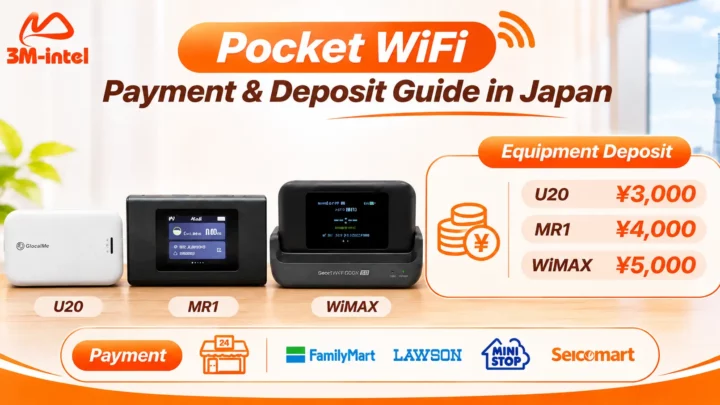
According to 3M INTEL’s published equipment information, the deposit amounts are:
- U20: ¥3,000
- MR1: ¥4,000
- WiMAX: ¥5,000
Equipment deposits are handled according to the applicable service termination and device return conditions.
Whether your existing deposit remains unchanged when extending a rental or switching plans must be confirmed separately.
You should also avoid stopping payments, returning equipment, or switching services without first confirming the necessary procedures with your provider. This helps prevent misunderstandings about your account status and payment obligations.
5. Frequently Asked Questions About Pocket WiFi Rental Extensions and Plan Changes
Does Monthly Pocket WiFi Rental Automatically Renew?
3M INTEL offers Pocket WiFi services with monthly billing, but this alone does not confirm that every rental automatically renews.
Check the billing cycle and service continuation conditions agreed upon when you registered.
Can I Change My Pocket WiFi Plan in the Middle of the Month?
This depends on the applicable service policy.
Contact 3M INTEL to confirm when the change would take effect and how charges would be calculated during the current billing period.
Do I Need to Change Devices When Switching From 100GB to Full Data?
Not necessarily.
Whether you can keep your current device depends on its compatibility with the new plan and the provider’s service conditions.
Do I Need to Pay Another Deposit When Extending My Pocket WiFi Rental?
There is no publicly confirmed policy establishing whether an existing equipment deposit remains unchanged in every extension scenario.
Confirm this with 3M INTEL before making any additional payment.
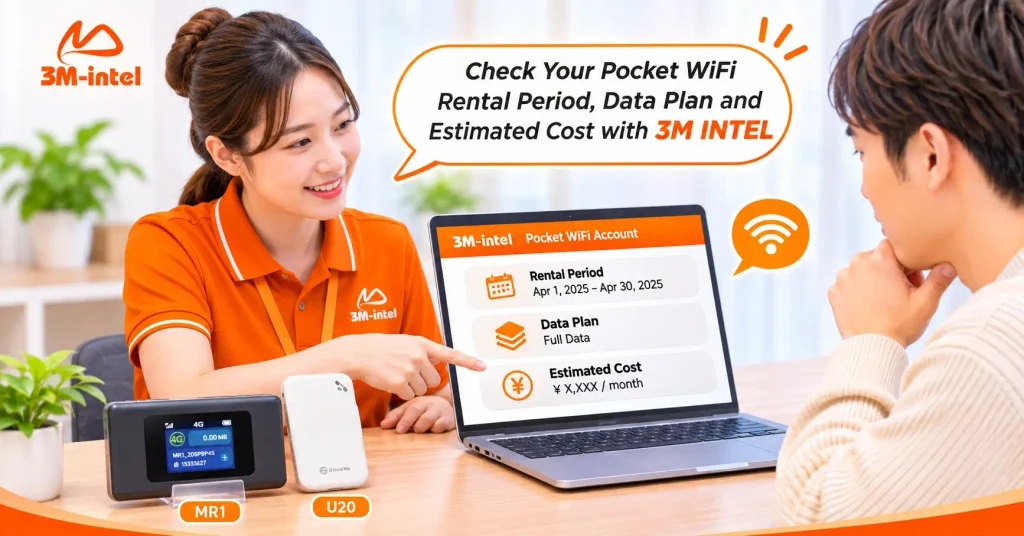
3M INTEL staff help customers review their rental period, data plan, and estimated costs before requesting a Pocket WiFi rental extension or plan change.
6. Contact 3M INTEL to Check Rental Extension or Plan Change Options
If your internet needs change while living, studying, working, or traveling in Japan, contact 3M INTEL to discuss the available options before your planned rental end date or requested plan change.
To help the support team review your request, prepare your device model, current data plan, desired extension period, or preferred new plan.
Contact 3M INTEL
- Website: https://3mintel.jp/
- Pocket WiFi Services: https://3mintel.jp/pocket-wifi/
- FAQ: https://3mintel.jp/support/faq/
- Contact: https://3mintel.jp/contact/
- Email: 3mintel.japan@gmail.com
3M INTEL – Understand Your Service Conditions, Choose a Suitable Internet Plan, and Stay in Control of Your Pocket WiFi Rental in Japan.