Learn how to register for SIM and WiFi services at 3M INTEL in Japan, including requirements, payment, delivery, setup, and customer support.
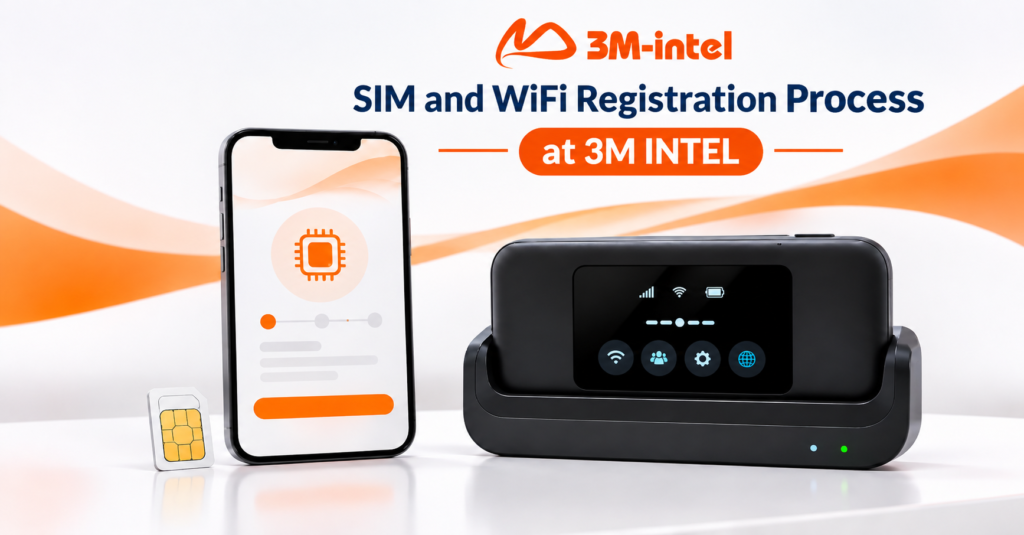
Registering for SIM and WiFi services at 3M INTEL involves six main steps: choosing a service, providing the required information, confirming your plan and costs, making payment, receiving your product, and completing the setup. The exact process varies depending on whether you choose a Data SIM, voice and data SIM, eSIM, Pocket WiFi, or fixed-line home internet in Japan.
With a diverse portfolio of connectivity solutions, 3M INTEL (3Mintel株式会社) aims to simplify registration and help customers understand the available services, requirements, and costs before making a decision.
This guide explains each step of the registration process, the documents you may need, available payment methods, delivery procedures, and customer support after receiving your product.
1. What Do You Need to Register for SIM and WiFi Services at 3M INTEL?
Before registering, customers should identify which type of connectivity service they need. 3M INTEL offers several solutions with different registration requirements, so preparing the right information in advance can make consultation and order processing more convenient.
Basic Information Required
Depending on the selected product, customers may need to provide:
- Full name of the applicant.
- Contact information.
- Delivery address in Japan, including postal code and apartment number, if applicable.
- Type of device they intend to use.
- Expected monthly data usage.
- Number of devices to be connected.
- Intended service period.
For fixed-line home internet, customers may also need to provide their installation address and housing details so that service availability can be checked.
Do You Need Documents to Register for SIM or WiFi Services?
Documentation requirements vary depending on the product.
| Service | Basic Registration Requirements |
| SoftBank Data SIM 50GB/100GB | According to product information, registration may be completed without a paper contract or additional identity documents. |
| 12-Month Prepaid Data SIM | Simplified registration without the same documentation requirements as voice SIM services. |
| Voice and Data SIM | Identity verification using accepted documents is required. |
| Pocket WiFi | Simplified registration may be available without a long-term contract, depending on the product policy. |
| eSIM | A compatible device and the information required for the selected plan. |
| Fixed-Line Home WiFi | Address verification, infrastructure availability checks, and completion of the service registration process. |
Important: Voice SIM registration requires identity verification. Customers should prepare a passport or residence card as instructed by the consultation team. Accepted documents depend on the applicable requirements and service type.
2. What Are the Steps to Register for SIM and WiFi Services at 3M INTEL?
For SIM cards and Pocket WiFi services, registration generally follows six main steps.
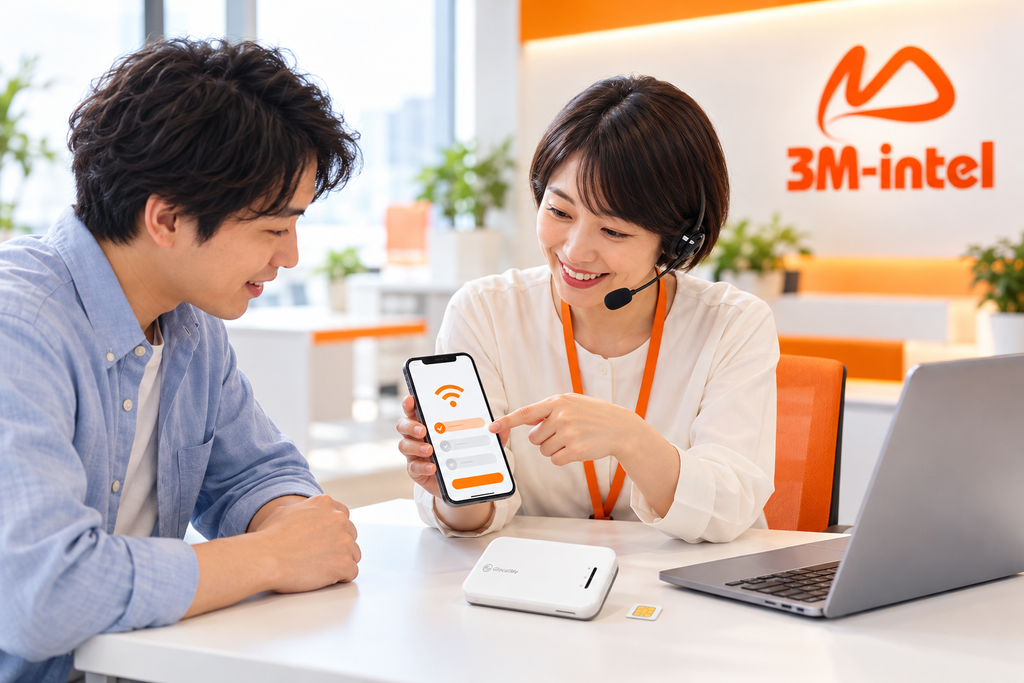
3M INTEL staff provide consultation and guide customers through the SIM and WiFi registration process in Japan.
Step 1: Contact 3M INTEL and Choose a Service
Customers can contact 3M INTEL through its official communication channels to learn about available connectivity services.
The consultation team may ask questions such as:
- Do you need a Data SIM, voice SIM, eSIM, or WiFi?
- Will you use the internet on one smartphone or multiple devices?
- How much data do you expect to use each month?
- How long do you plan to use the service?
For example, someone who mainly uses mobile data for messaging, maps, and train schedules may consider a Data SIM. Customers who use both a smartphone and laptop may find Pocket WiFi more suitable.
The purpose of this consultation is to help customers select the right connectivity solution, avoiding plans or products that do not match their actual needs.
Step 2: Confirm Your Plan, Costs, and Service Conditions
Once a suitable service has been selected, customers receive information about the applicable fees and conditions.
Important details to review include:
- Service charges.
- Data allowance and validity period.
- Activation or registration fees, if applicable.
- Device deposit, if required.
- Delivery charges or payment surcharges.
- Monthly payment deadlines.
- Cancellation and device return conditions.
It is important to understand that service charges and device deposits are two separate types of payment.
For Pocket WiFi, the device deposit may be held during the service period and refunded after the service ends, provided the device and accessories are returned according to the applicable conditions.
Customers should confirm the total initial payment before completing registration to avoid unexpected expenses.
Step 3: Provide Your Registration Information
After agreeing to the selected plan and service conditions, customers provide the information needed to process their orders.
For physical SIM cards and Pocket WiFi, accurate delivery information is especially important:
- Japanese postal code.
- Prefecture, city, and residential address.
- Building name and apartment number, if applicable.
- Recipient’s full name and necessary contact details.
For voice SIM services, customers must complete identity verification as instructed.
To protect personal information, customers should submit identification documents only through official channels confirmed by 3M INTEL and follow the applicable privacy and security requirements.
Step 4: Complete Payment Using an Available Method
3M INTEL supports different payment methods depending on the service and transaction.
According to the company’s service guidance, available methods may include bank transfers, convenience store payments, and Daibiki (cash on delivery) for eligible orders.
Some transactions may also support payment in Vietnamese Dong under the instructions of the responsible team.
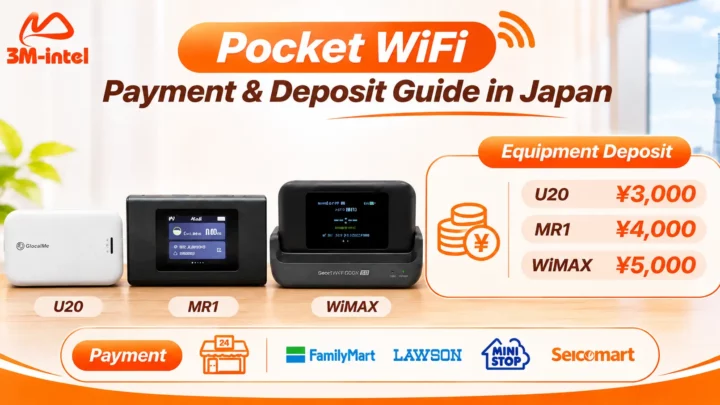
For convenience store payments, customers may receive a payment code and complete their transactions at supported stores such as FamilyMart, Lawson, Mini Stop, or Seicomart.
Please note: Not all payment methods are available for every product. If using Daibiki, customers should confirm any additional fees or required advance payments before finalizing their order.
Step 5: Confirm Your Order and Receive Your Product
Once the required registration procedures and payments are completed, the order is forwarded for processing.
For physical SIM cards and Pocket WiFi, the process generally includes:
- Confirming the product and recipient details.
- Preparing the SIM card or WiFi device.
- Handing the package over to the delivery provider.
- Providing a tracking number so customers can follow their shipment.
- Assisting customers after the product arrives.
According to the company’s internal consultation procedures, estimated delivery for certain SIM cards and Pocket WiFi products is approximately 2–3 days, depending on the delivery address, order status, and shipping conditions.
This is an estimated timeframe, not a guaranteed delivery period for every order.
Step 6: Set Up, Connect, and Start Using Your Service
After receiving the product, customers follow the appropriate setup instructions.
For Data SIM cards:
- Insert the SIM card correctly into the device.
- Enable mobile data.
- Configure the APN if required.
- Check the internet connection.
For Pocket WiFi:
- Turn on the device.
- Find the WiFi network name (SSID).
- Enter the password provided or displayed on the device.
- Connect your smartphone, laptop, or tablet.
- Check that internet access is working.
If customers experience difficulties during setup, they can contact the 3M INTEL support team for troubleshooting assistance.
3. Does the Registration Process Differ Between SIM, eSIM, and WiFi?
Although these services share some registration steps, their requirements and activation procedures are not identical.
3.1. Registering for a Data SIM in Japan
3M INTEL offers monthly SoftBank Data SIM plans and 12-month prepaid Data SIM options.
For SoftBank 50GB or 100GB Data SIM plans, customers select their preferred data allowance, confirm payment conditions, provide a delivery address, and follow the setup instructions after receiving the SIM.
For a 12-month prepaid Data SIM, customers pay according to the selected plan and configure the APN if necessary.
This type of SIM is intended for data access only and does not support regular voice calls or SMS reception.
3.2. Registering for a Voice and Data SIM in Japan
Voice SIM registration includes a separate identity verification procedure.
Customers need to select a data plan, prepare the required identification documents, and review the activation fee, monthly charges, and any additional call or SMS costs.
After completing registration and receiving the SIM, customers follow the setup instructions to begin using the service.
3.3. Registering for an eSIM
An eSIM does not require a physical SIM card to be delivered.
The basic process includes:
- Check whether your smartphone supports eSIM and is carrier-unlocked.
- Select a suitable plan.
- Complete payment.
- Receive the QR code or installation details.
- Add the eSIM to your device and activate it according to the instructions.
Customers should verify when the plan’s validity period begins, particularly for international travel eSIMs.
3.4. Registering for Pocket WiFi
When registering for Pocket WiFi, customers should consider both the selected data plan and the device deposit policy.
The process involves choosing a 100GB or Full Data plan, confirming the router model and deposit, completing payment, receiving the device, and connecting to the internet.
When customers no longer need the service, they should follow the cancellation and device return procedures to request a deposit refund, subject to the applicable conditions.
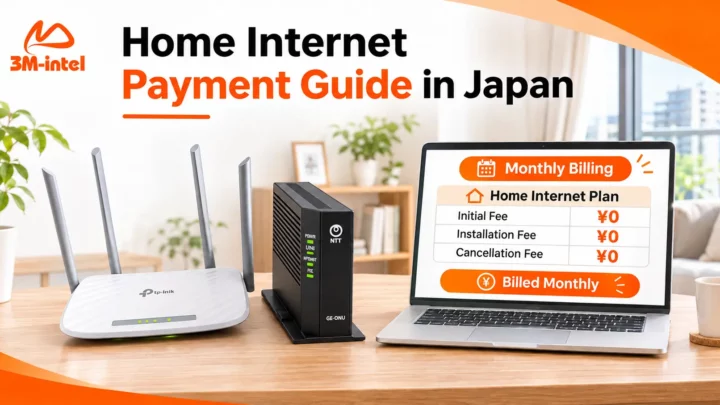
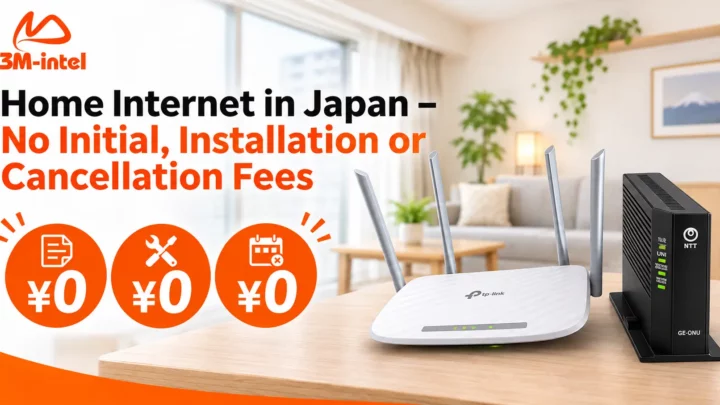
3.5. Registering for Fixed-Line Home Internet in Japan
Unlike SIM cards and Pocket WiFi, fixed-line home internet requires an additional address verification process.
The general registration procedure includes:
- Submit your address and housing information.
- Check service availability.
- Confirm the plan and installation conditions.
- Arrange a technician appointment.
- Complete installation, activation, and setup.
According to the guidance published on the 3M INTEL website, the estimated installation period is approximately 2–3 weeks, depending on infrastructure availability, the installation address, and technician scheduling.
4. What Costs Should You Check Before Registration?
Transparent pricing is an important factor when choosing telecommunications services in Japan.
Customers should understand the differences between the following charges:
| Cost Category | Description |
| Service Fee | Payment for the selected SIM or internet plan. |
| Activation Fee | An initial charge applicable to certain services, such as voice SIM registration. |
| Device Deposit | A deposit held while a device is borrowed or rented, refundable under the applicable conditions. |
| Payment Surcharge | An additional charge that may apply to certain payment methods. |
| Additional Usage Charges | Costs such as voice calls or SMS not included in the plan. |
| Installation Fee | A charge that depends on the fixed-line home internet service policy. |
3M INTEL recommends that customers confirm the total payment amount, service period, and refund conditions before finalizing their orders.

3M INTEL guides customers through a clear and convenient payment process for SIM and WiFi services in Japan.
5. How Does 3M INTEL Support Customers After Registration?
3M INTEL’s service process extends beyond delivering SIM cards and WiFi devices.
According to its support procedures, customers can also receive guidance when issues arise during service usage.
SIM Setup and WiFi Connection Guidance
Customers can refer to instructions for configuring APN settings, activating mobile data, and connecting WiFi devices.
Using the correct configuration settings can help prevent connection issues after receiving a SIM card.
Connectivity Troubleshooting Support
Common issues include:
- Pocket WiFi freezing or becoming unresponsive.
- A SIM card being inserted but unable to access the internet.
- Slow or unstable WiFi connections.
- Devices requiring software updates.
- Incorrect APN configuration.
Depending on the situation, the support team can guide customers through checking their devices, verifying connectivity, or performing the appropriate troubleshooting steps.
Monthly Payment Reminders
Customers using monthly subscription services need to follow the payment schedule associated with their plans.
According to 3M INTEL’s internal customer care procedures, the responsible team sends payment notifications and reminders through the communication channel used during registration.
Customers should check the confirmed payment deadline for their specific plans to avoid service interruptions.
Service Cancellation and Device Returns
For borrowed or rented Pocket WiFi devices, customers are guided through the process of returning the device and accessories when the service ends.
The device deposit is refunded if the return meets the applicable conditions.
6. Frequently Asked Questions About SIM and WiFi Registration at 3M INTEL
Do I Need a Contract to Register for a Data SIM at 3M INTEL?
According to the product information, certain Data SIM services have simplified registration procedures without requiring a signed paper contract. However, customers must still comply with the terms and conditions of the selected plan.
Are Identification Documents Required for Voice SIM Registration?
Yes. Voice SIM services require identity verification, so customers must prepare accepted identification documents according to the registration instructions.
Do I Need to Purchase a Pocket WiFi Device?
Not necessarily. 3M INTEL offers options for borrowing or renting Pocket WiFi devices, with deposits depending on the router model and applicable promotion.
Customers must return the device according to the agreed conditions when ending the service.
How Long Does It Take to Receive a SIM Card or Pocket WiFi?
According to the company’s internal procedures, certain SIM and Pocket WiFi products have an estimated delivery period of approximately 2–3 days.
The actual delivery time should be confirmed when the order is processed.
Can I Pay My SIM or WiFi Bill at a Convenience Store in Japan?
Yes, for transactions that support this payment method.
3M INTEL provides payment instructions and the necessary payment code so customers can complete their transactions at designated convenience stores.
What Should I Do If My SIM Card Has No Internet Connection?
First, check whether the SIM card is recognized by your device, mobile data is enabled, APN settings are correct, and a mobile network signal is available.
If the issue persists, contact 3M INTEL for assistance.
7. Register for SIM and WiFi Services in Japan with 3M INTEL
From choosing a suitable data plan to completing payment, receiving your device, and setting up your connection, 3M INTEL’s registration process is designed to help customers understand each step before using the service.
Registering for SIM or WiFi is not only about finding the right monthly price. It is also about understanding what you need to prepare, which fees apply, and what support is available throughout your experience.
If you are looking for a Data SIM, voice SIM, eSIM, Pocket WiFi, or fixed-line home internet in Japan, contact 3M INTEL for guidance based on your actual connectivity needs.
Contact 3M INTEL
- Website: https://3mintel.jp/
- Email: 3mintel.japan@gmail.com
- WiFi Services: https://3mintel.jp/
- Registration and Payment Information: https://3mintel.jp/
3M INTEL – The Right Connection, Clear Registration, and Support Every Step of the Way.