Compare Pocket WiFi and Data SIM in Japan by connectivity, devices, costs, and flexibility. Find the right internet solution with 3M INTEL.
Should you choose Pocket WiFi or a Data SIM in Japan? If you frequently use the internet on your smartphone, laptop, and tablet, Pocket WiFi is worth considering because it allows multiple devices to share one connection without changing the SIM card in your phone. However, if you only need internet access on a single smartphone, a Data SIM may be a simpler and more convenient option.
Both solutions use mobile networks in Japan, but they differ in how devices connect, what equipment you need to carry, their costs, and the overall user experience.
For people living, studying, or working in Japan, choosing the right option from the beginning can help avoid inconveniences such as constantly using a smartphone hotspot, purchasing unnecessary data, or registering for a service that does not match their needs.
In this guide, 3M INTEL (3Mintel株式会社) compares Pocket WiFi and Data SIM services through practical everyday situations to help you determine which connectivity solution best suits your needs.
1. What Is the Difference Between Pocket WiFi and a Data SIM?
Both Pocket WiFi and Data SIM services provide internet access through mobile networks, but they work differently.
What Is Pocket WiFi?
Pocket WiFi is a compact portable wireless router that uses a 4G or 5G mobile network to create a personal WiFi connection.
After turning on the device, users can connect their smartphones, laptops, or tablets using the WiFi network name (SSID) and password.
One of Pocket WiFi’s main advantages is the ability to provide an internet connection independently of the SIM card currently installed in your smartphone.
For example, someone using a Japanese voice SIM for calls and messaging can still connect both their smartphone and laptop to Pocket WiFi for internet access.
This eliminates the need to repeatedly enable the personal hotspot feature on a smartphone.
What Is a Data SIM?
A Data SIM is a SIM card that provides mobile internet access to compatible devices, usually smartphones or tablets.
Once inserted and properly configured, the device can connect to the internet through a mobile network.
With a Data SIM, users do not need to carry a separate WiFi router.
If they want to share internet access with a laptop or another device, they can enable the personal hotspot or tethering feature, provided their device and service plan support it.
However, frequent hotspot use may increase smartphone battery consumption and require users to manage an additional connection-sharing feature.
2. Pocket WiFi vs. Data SIM in Japan: Comparison Table
| Criteria | Pocket WiFi | Data SIM |
| Connection Method | Through a separate portable WiFi router | Directly through a SIM card installed in a device |
| Compatible Devices | Smartphones, laptops, tablets, and WiFi-enabled devices | Smartphones, tablets, or SIM-compatible devices |
| Multiple Device Connections | Yes, depending on the Pocket WiFi model | Through hotspot/tethering if supported |
| Changing Your Smartphone SIM | Not required | May require inserting or switching SIM cards |
| Laptop Connectivity | Direct WiFi connection | Requires hotspot or a SIM-compatible laptop |
| Power Source | Separate battery or charging source | Battery of the device containing the SIM |
| Portability | Portable, but requires carrying a router | Portable without an additional router |
| Smartphone Battery Use When Sharing Internet | Does not require smartphone tethering | Uses smartphone battery when tethering |
| Device Deposit | May apply | Generally no router deposit required |
| Equipment Return | Required for rented or borrowed Pocket WiFi | No router return required |
| Best Suited For | Users with multiple devices who need shared internet access | Users who mainly access the internet on one smartphone |
Key difference: Pocket WiFi creates a separate internet connection point for multiple devices, while a Data SIM provides direct mobile internet access through the device in which it is installed.
This does not mean Pocket WiFi always offers faster speeds or lower costs than a Data SIM. Actual performance depends on the mobile network, device model, data allowance, and service conditions.
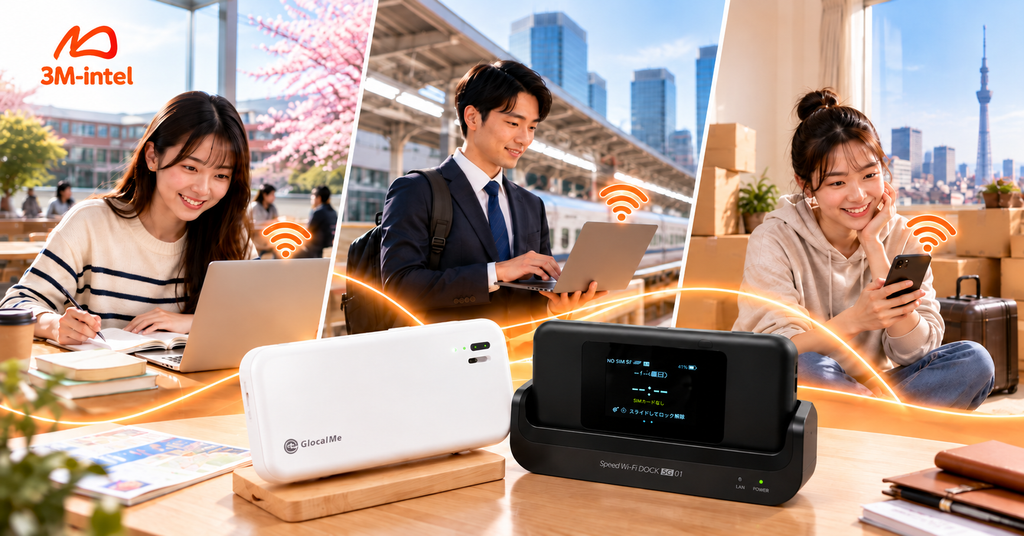
3M INTEL offers Pocket WiFi and Data SIM solutions for studying, working, and traveling in Japan.
3. Why Is Pocket WiFi Worth Considering for Multiple Devices?
For people using both smartphones and laptops, Pocket WiFi offers several practical advantages.
3.1. No Need to Use Your Smartphone as a Hotspot All the Time
When using a Data SIM, a common way to connect a laptop is to enable the smartphone’s hotspot feature.
This can be convenient for short periods. However, sharing a mobile connection for several hours may increase battery consumption and device temperature, depending on the smartphone.
Pocket WiFi, on the other hand, is specifically designed to receive a mobile network signal and share it over WiFi.
For example, if you use your laptop for several hours every day for online classes or work, Pocket WiFi allows you to separate internet sharing from your smartphone.
Your phone can remain available for communication and personal activities without having to maintain an active hotspot connection.
However, Pocket WiFi still requires its own battery or charging source and may become warm during intensive use. It should not be considered a device with unlimited operating time.
3.2. Connect Multiple Devices to One WiFi Network
One of Pocket WiFi’s key benefits is its ability to connect multiple devices simultaneously.
For example, when working outside, you may use:
- A smartphone for messaging and information searches.
- A laptop for emails, work, and video meetings.
- A tablet for reading documents or taking notes.
Instead of configuring separate data connections for each device, you can connect all three to the same Pocket WiFi network.
However, connection speed and overall performance depend on total data traffic, mobile network coverage, and the router’s capabilities.
3.3. Keep Your Existing Smartphone SIM Card
For people already using a Japanese voice SIM, registering for an additional Data SIM may require checking their smartphone’s SIM slots, dual-SIM compatibility, or mobile data settings.
Pocket WiFi does not require users to insert another SIM card into their smartphones.
They simply need a WiFi-enabled device and the correct network password.
This can be particularly convenient for customers who want to maintain their existing mobile phone configuration while accessing the internet on laptops or other devices.
Important: Pocket WiFi does not automatically provide a Japanese phone number for regular voice calls or SMS. Customers who need these functions will still require a suitable mobile service.
3.4. Use Internet Across Different Locations Without Installation
Pocket WiFi can be carried to schools, workplaces, libraries, or other locations throughout Japan.
Unlike fixed-line home internet, it does not require physical network installation at a residential address.
For newcomers to Japan, people who frequently move, or customers waiting for home internet installation, this flexibility can be especially valuable.
However, Pocket WiFi depends on mobile network coverage. A strong connection cannot be guaranteed in every basement, building, or remote area.
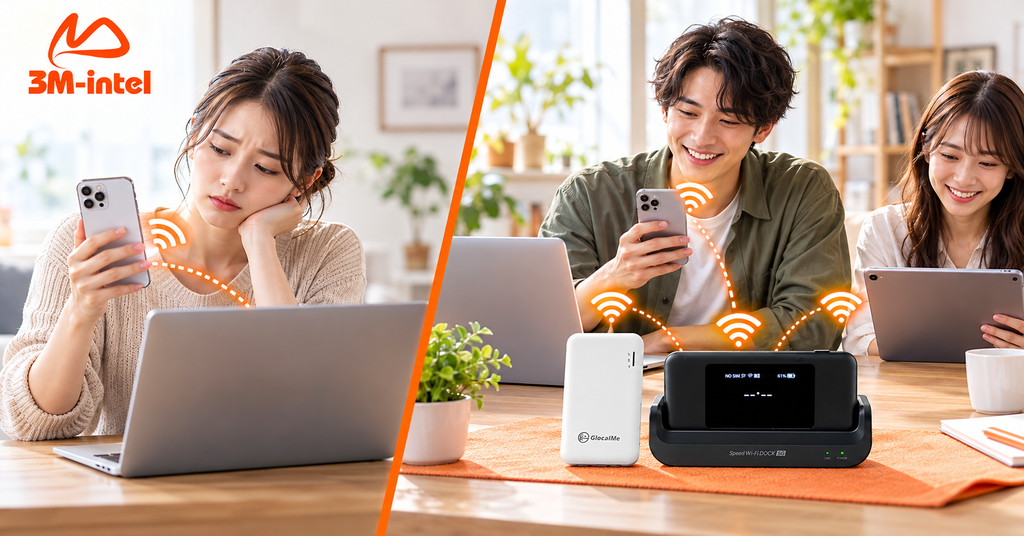
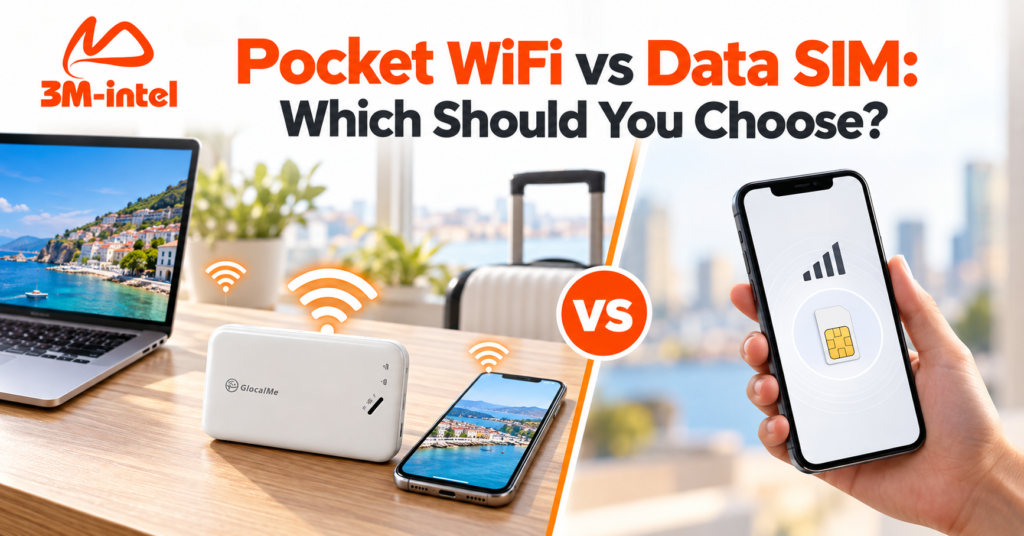
A Data SIM provides direct internet access on a smartphone, while Pocket WiFi allows multiple devices, including smartphones, laptops, and tablets, to share a connection.
4. Who Should Choose Pocket WiFi Over a Data SIM in Japan?
4.1. International Students Who Frequently Use Laptops
International students in Japan often need internet access for online learning, research, assignment submissions, and communication.
If they regularly connect laptops at school, libraries, or cafés, Pocket WiFi allows them to use a separate network instead of constantly enabling their smartphone hotspot.
For students who frequently use both smartphones and laptops, a dedicated WiFi router can make connection management more convenient.
Recommendation: Pocket WiFi is suitable for international students who regularly carry multiple devices. If they only use one smartphone, a Data SIM may be sufficient.
4.2. Working Professionals Who Frequently Travel
For people working across multiple locations, internet access may be essential for sending documents, checking schedules, communicating, and using laptops outside the office.
Pocket WiFi allows multiple devices to connect through the same router.
For example, an employee frequently traveling between workplaces in Tokyo can use a smartphone for communication and a laptop for work without continuously sharing internet access from their phone.
However, if the job requires important video meetings or uninterrupted connectivity, mobile network quality should be checked at frequently used locations.
4.3. Newcomers to Japan Who Need Internet Immediately
When moving to Japan, customers may not yet have fixed-line internet installed at their residence or may still be evaluating their long-term connectivity needs.
During this period, Pocket WiFi is worth considering because it does not require physical installation.
After receiving, activating, and correctly configuring the device, users can connect their smartphones, laptops, and tablets.
Pocket WiFi can also serve as a temporary connectivity solution while waiting for fiber-optic home internet installation.
4.4. People Sharing WiFi Across Two or More Devices
Pocket WiFi is particularly useful when several devices need internet access while located near one another.
For example, two people sharing one Pocket WiFi device at the same location may connect their smartphones and laptops, provided the router supports the required number of connections.
However, when the two people travel to different locations, one Pocket WiFi device cannot provide a connection to both if they are outside its WiFi coverage range.
In situations where each person needs independent internet access while apart, separate Data SIM plans may be more practical.
5. When Is a Data SIM a Better Choice Than Pocket WiFi?
To choose the right solution, customers should also understand when renting a separate WiFi device may not be necessary.
When you only need internet on one smartphone: A Data SIM provides direct mobile internet access without requiring an additional device.
When you do not want to manage another battery or accessories: A Data SIM eliminates the need to charge a separate router. However, the smartphone still consumes battery power when using mobile data or tethering.
When users need internet independently in different locations: If two people frequently travel separately, having individual Data SIM cards prevents them from depending on the range of a shared Pocket WiFi router.
When you mainly use mobile data on your phone and rarely use a laptop: A suitable Data SIM plan may offer a simpler, more portable solution.
Therefore, the decision between Pocket WiFi and Data SIM should not be based solely on data allowances or monthly prices. It should also consider how users access the internet in their daily lives.
6. Is Pocket WiFi More Cost-Effective Than a Data SIM?
There is no single answer that applies to every situation.
Pocket WiFi allows multiple devices to share one data plan without purchasing an individual plan for every device.
However, a smartphone with a Data SIM can also share its connection through a hotspot if supported. Therefore, using multiple devices does not automatically mean Pocket WiFi is necessary.
Practical Cost Comparison Scenarios
Scenario A: One Person Using Only a Smartphone
A customer mainly uses the internet for messaging, navigation, music streaming, and social media.
If data consumption is moderate, a Data SIM may be simpler and more economical because no additional router rental is needed.
Scenario B: One Person Frequently Using a Laptop
A customer uses both a smartphone and laptop every day for studying, working, emailing, or video meetings.
Pocket WiFi provides a separate connection point without requiring continuous smartphone hotspot use.
If the additional cost is reasonable and internet sharing is frequent, Pocket WiFi may provide a more suitable experience.
Scenario C: Two People Sharing Internet at One Location
Two people frequently share internet access across their smartphones and laptops.
Pocket WiFi can be convenient if they stay close together and the router supports the required connections.
However, if they regularly travel separately, individual Data SIM plans may be more convenient.
Which Costs Should You Compare?
When evaluating total costs, consider:
- Monthly charges for Pocket WiFi and Data SIM.
- Total available data allowance.
- Speed restrictions or conditions after using the data allowance.
- Pocket WiFi device deposits.
- Delivery charges and payment fees, if applicable.
- Minimum service periods and cancellation requirements.
- Equipment return obligations when ending a rental.
Important: A device deposit is not the same as the monthly internet service fee. For services offering deposit refunds, customers should consider both the initial payment and the amount that may be refunded when the service ends.
7. 3M INTEL’s 100GB and Full Data Pocket WiFi Solutions
3M INTEL (3Mintel株式会社) provides internet connectivity solutions in Japan, including Data SIM cards, voice and data SIM cards, eSIM, Pocket WiFi, and fixed-line home internet.
For customers interested in portable WiFi, 3M INTEL offers two main options: 100GB Pocket WiFi per month and Full Data Pocket WiFi.
100GB Pocket WiFi – Suitable for Defined Data Needs
The 100GB Pocket WiFi plan provides a total data allowance of 100GB within a monthly billing cycle.
According to 3M INTEL’s product information, this allowance is not divided into fixed daily limits.
The 100GB plan may be suitable for customers using smartphones and laptops for:
- Messaging, information searches, and navigation.
- Studying, researching, and emailing.
- Watching videos and enjoying entertainment with manageable data consumption.
- Connecting multiple devices while monitoring total data usage.
Customers should confirm the applicable conditions after reaching the 100GB allowance before choosing this plan.
Full Data Pocket WiFi – Designed for Higher Data Consumption
Full Data Pocket WiFi is intended for customers who need more mobile data than a typical 100GB plan provides.
People who frequently work online, stream videos, or connect several devices may consider this option.
However, Full Data does not guarantee unrestricted high-speed internet under all circumstances.
Before registering, customers should review the applicable Fair Usage Policy (FUP), speed restrictions, and conditions for the selected router model.
Features of 3M INTEL Pocket WiFi Services
No Fixed-Line Internet Installation Required
Customers can use Pocket WiFi in locations with compatible mobile network coverage without installing a home internet line.
Device Rental or Lending Options
According to published service information, 3M INTEL provides Pocket WiFi through rental or lending arrangements with device deposit and return conditions.
Clear Payment Guidance
For eligible transactions, customers may use payment codes at designated convenience stores in Japan.
Connection and Troubleshooting Support
3M INTEL provides guidance on using Pocket WiFi, connecting through SSID and password, and troubleshooting common connectivity problems.
3M INTEL Pocket WiFi Deposit Policy
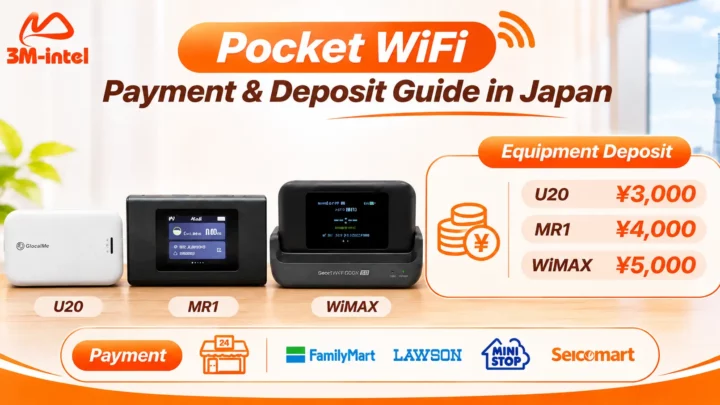
According to information published on the 3M INTEL website, reference deposit amounts by device model include:
| Device Model | Device Deposit |
| U20 | ¥3,000 |
| MR1 | ¥4,000 |
| WiMAX | ¥5,000 |
The deposit is held during the service period and may be refunded when the service ends, provided the router and accessories are returned according to the applicable conditions.
These deposit amounts depend on the device model and do not automatically correspond to the 100GB or Full Data plan.
Monthly prices, supplied devices, and applicable policies should be confirmed at the time of registration.
8. How to Register for Pocket WiFi at 3M INTEL
Customers can explore and register for Pocket WiFi through the following basic steps.
Step 1: Contact 3M INTEL for Consultation
Provide information about the number of devices, intended usage, expected data consumption, and the locations where you need internet access in Japan.
Step 2: Choose a Plan and Device
3M INTEL provides guidance on the 100GB and Full Data options and confirms which equipment can be supplied for your needs.
Step 3: Confirm Costs and Conditions
Review the monthly service charge, deposit, payment method, included accessories, and equipment return requirements.
Step 4: Complete Payment and Receive the Device
After completing the required procedures, customers receive their devices through the agreed delivery or collection method.
Step 5: Set Up and Start Using Pocket WiFi
Turn on the router, find the WiFi network name (SSID), enter the password, and connect your devices.
When the service is no longer needed, contact 3M INTEL for instructions on cancellation and equipment returns.
9. What Should You Check Before Choosing Pocket WiFi Over a Data SIM?
Before registering for Pocket WiFi, customers should confirm four important points.
Is the Device Suitable for Your Connection Needs?
If you regularly use laptops, tablets, and smartphones, check the maximum number of devices supported by the router.
Does the Mobile Network Cover Your Main Usage Locations?
Pocket WiFi relies on mobile networks, so customers should check supported network coverage where they live, work, and frequently travel.
Is the Data Allowance Sufficient?
The 100GB plan may suit users with moderate data needs. Full Data may be worth considering when total consumption is higher, but actual restrictions should be reviewed.
Are the Rental and Return Conditions Clear?
Customers should confirm the device deposit, payment deadlines, usage period, accessories that must be returned, and conditions for lost or damaged equipment.
10. Frequently Asked Questions About Pocket WiFi and Data SIM
Does Pocket WiFi Require a SIM Card in My Smartphone?
No. Pocket WiFi works as a separate wireless router.
Your smartphone only needs to connect to its WiFi network. You do not need to insert another SIM card into your phone to use that connection.
Can a Data SIM Share Internet With a Laptop?
Yes, if the smartphone supports hotspot/tethering and the SIM plan allows data sharing.
However, frequent hotspot use may increase smartphone battery consumption.
Can Pocket WiFi Connect Multiple Devices at the Same Time?
Yes. The maximum number of connected devices depends on the router model.
Actual performance may decrease when several devices use large amounts of data simultaneously.
Is Pocket WiFi Faster Than a Data SIM?
Not necessarily.
Internet speed depends on the mobile carrier, coverage, device, and service conditions, rather than simply whether you use a SIM card or a separate router.
Does One Person Living in Japan Need Pocket WiFi?
If you only use one smartphone, a Data SIM may be sufficient.
If you frequently use a laptop or tablet, or prefer a separate internet-sharing device, Pocket WiFi may be worth considering.
Do I Need to Buy a Router to Rent Pocket WiFi From 3M INTEL?
According to its published service policy, 3M INTEL offers Pocket WiFi through rental or lending arrangements, with deposits depending on the device model.
Customers must return the device according to the agreed conditions when ending the service.
Can Pocket WiFi Replace a Japanese Voice SIM?
No. Pocket WiFi provides internet access but does not automatically offer a Japanese phone number for regular voice calls and SMS.
If you need these features, you must use a suitable voice SIM or another supported mobile service.
11. Pocket WiFi vs. Data SIM: Which Is Right for You?
If you primarily access the internet on one smartphone, a Data SIM is a simple solution that does not require carrying a separate WiFi router.
However, if you frequently connect smartphones, laptops, or tablets, want a dedicated internet-sharing device, and prefer not to rely on your smartphone’s hotspot, Pocket WiFi is worth prioritizing for consideration.
Pocket WiFi can be especially useful for newcomers to Japan, international students, working professionals who frequently travel, and customers who need temporary connectivity while waiting for fixed-line home internet installation.
At 3M INTEL, customers can explore both Data SIM services and 100GB or Full Data Pocket WiFi plans based on their devices, data needs, and actual usage conditions.
Unsure whether a Data SIM or Pocket WiFi is the right choice? Contact 3M INTEL for guidance on suitable internet connectivity solutions in Japan.
Contact 3M INTEL
- Website: https://3mintel.jp/
- Email: 3mintel.japan@gmail.com
- WiFi Services: https://3mintel.jp/
- Registration and Payment Information: https://3mintel.jp/
3M INTEL – Flexible Connectivity Solutions Designed Around Your Needs in Japan.